Script error prompt

  • December 4, 2019
  • 3 replies
  • 95 views

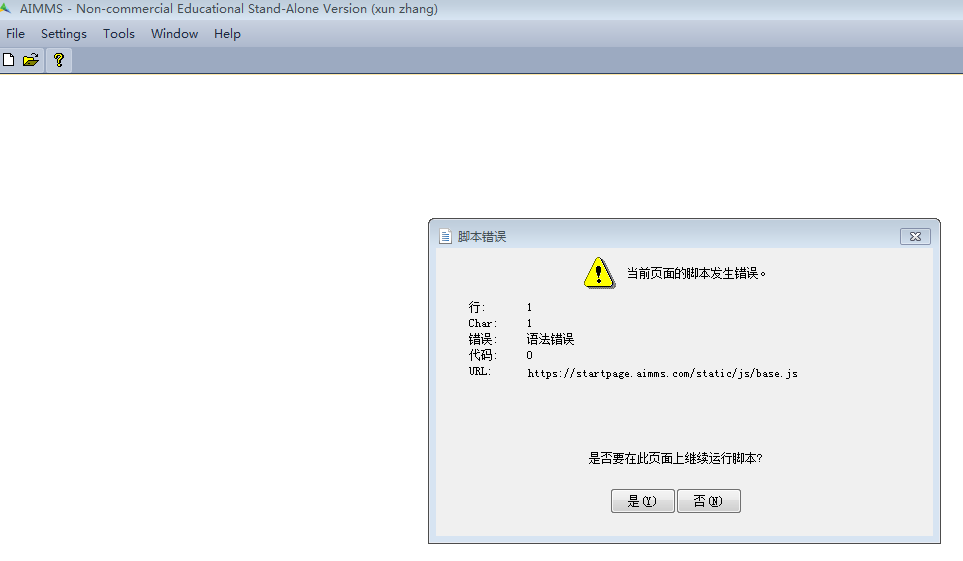
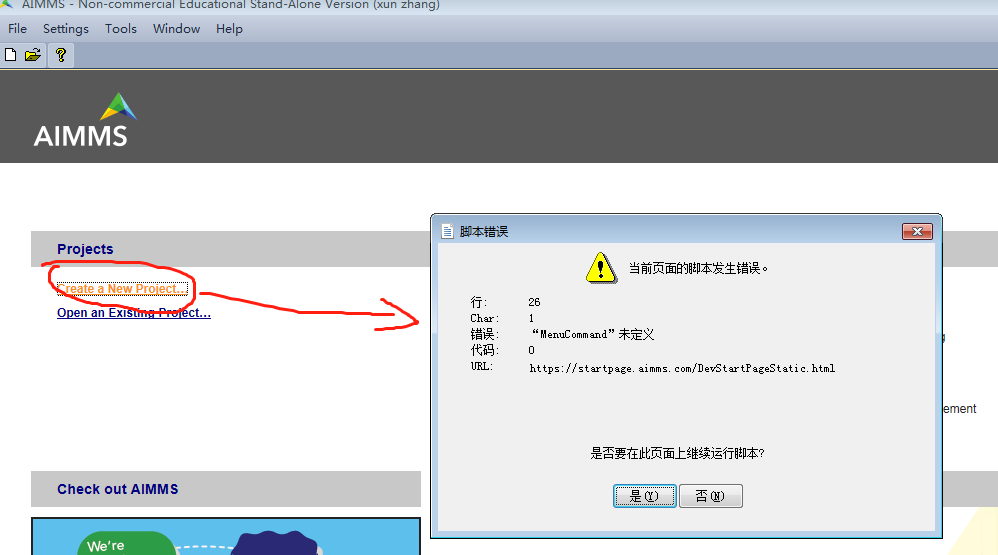
After the software is installed, the script error will be prompted when the software is opened, as shown in the figure below
 

3 replies

mohansx
Forum|alt.badge.img+5
  • Former AIMMSian
  • December 5, 2019

You can continue working by clicking “No”. 


To resolve this, what version of AIMMS are you using ? Please try with the latest version again. 

You should also clear the cache of your internet explorer. 


Forum|alt.badge.img
  • Former AIMMSian
  • December 6, 2019

If you could translate what the message say? This could be AIMMS is unable to open those files possibly due to HTTPS certificate. Do you mind trying to open this URL https://startpage.aimms.com/DevStartPageStatic.html in your browser? What do you see?

What AIMMS is doing under the hood is trying to render that webpage inside your IDE.


Andrew
  • Former AIMMSian
  • December 19, 2019

Hi @xun zhang 

Were you able to figure out a solution to your issue yourself? 

Best Regards


Didn't find what you were looking for? Try searching on our documentation pages:

AIMMS Developer & PRO | AIMMS How-To | AIMMS SC Navigator