



How to Retrieve and Use Benchmark Transport Cost Rates
Transport cost is a key driver in any network design study. However, obtaining reliable lane-level transport cost data can be time-consuming and complex.
To support you in early-stage modeling as well as more advanced studies, SC Navigator provides two options to retrieve transport cost data directly within the application:
-
High-level cost data (generalized benchmark rates)
-
Detailed transport cost data (lane-specific cost estimates on request)
This article explains when to use each option and how to set them up correctly in your template.
1. High-Level Transport Cost Data
(Quick benchmark rates for missing lane costs)
If you do not have lane-specific transport cost data available, you can use the High-Level Cost Data retrieval feature.
This option automatically generates generalized cost per distance values between countries or states for the selected lanes.
When should you use this?
-
During early project phases
-
When performing high-level scenario comparisons
-
When lane-level cost data is partially or fully missing
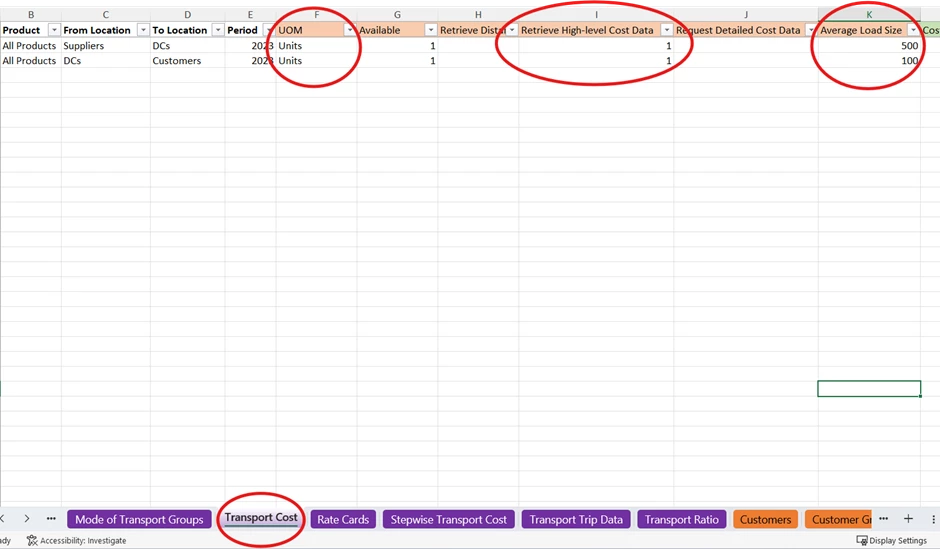
Step 1: Prepare Your Template
In the Transport Cost sheet:
-
Ensure no manual cost is defined for the lane.
-
Enter 1 in the column “Retrieve High-Level Cost Data.”
-
Provide the Average Load Size
-
Specify the UOM used for that load size
Important: Currency and Unit Conversions
The retrieved benchmark rates are provided in:
USD per ton per km
To ensure correct cost calculation, verify the following:
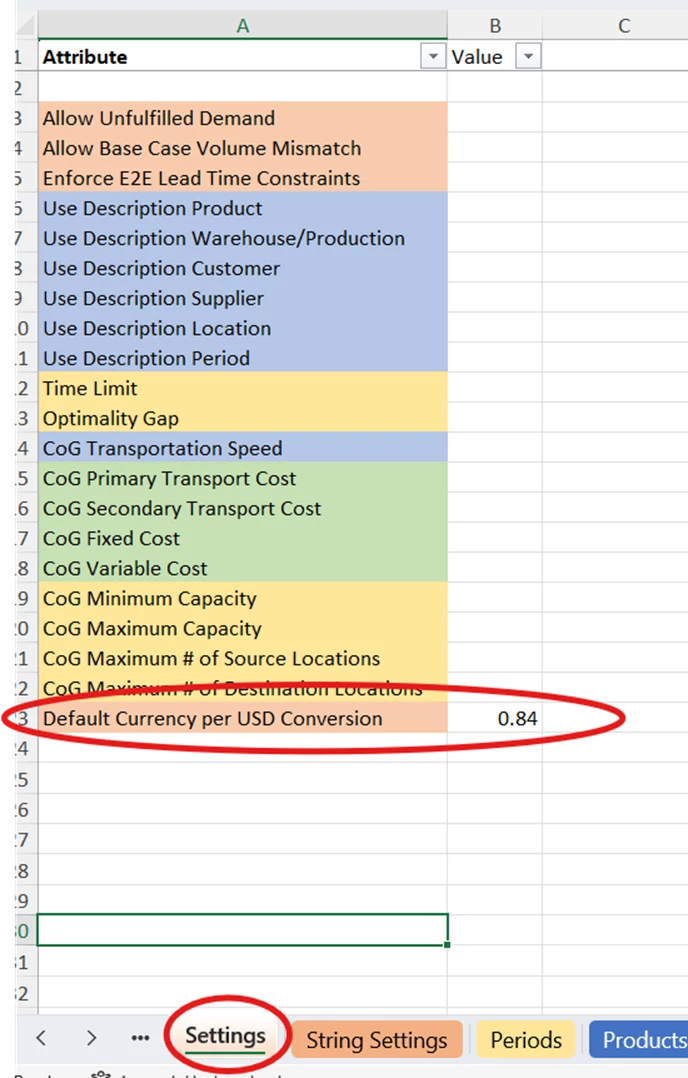
Currency Conversion
If your model’s base currency is not USD:
-
Go to the Settings sheet.
-
Provide a value for “Default Currency per USD Conversion.”
UOM Conversion
If your base unit of measure is not ton:
-
Go to the UOM Conversions sheet.
-
Define the conversion from your base unit to tons.
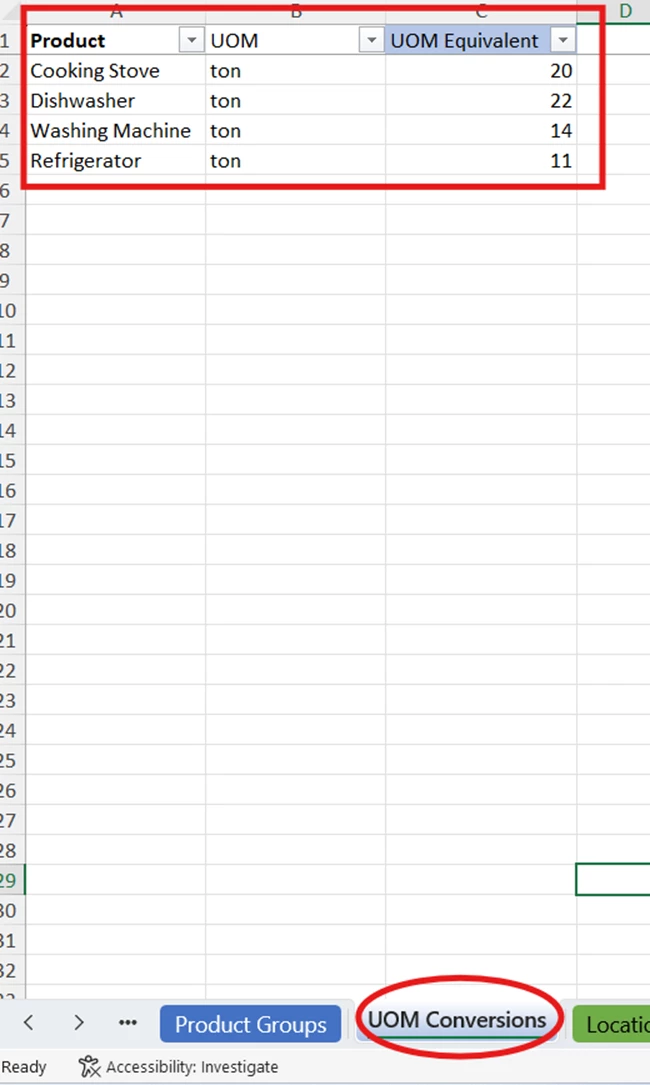
This step ensures that the benchmark rates are correctly translated into your model’s unit structure.
Step 2: Upload and Verify in SC Navigator
After preparing the template:
-
Upload it into SC Navigator.
-
Navigate to Data → Transport.
You will now see that the system has automatically populated the cost per distance values for the relevant lane combinations.
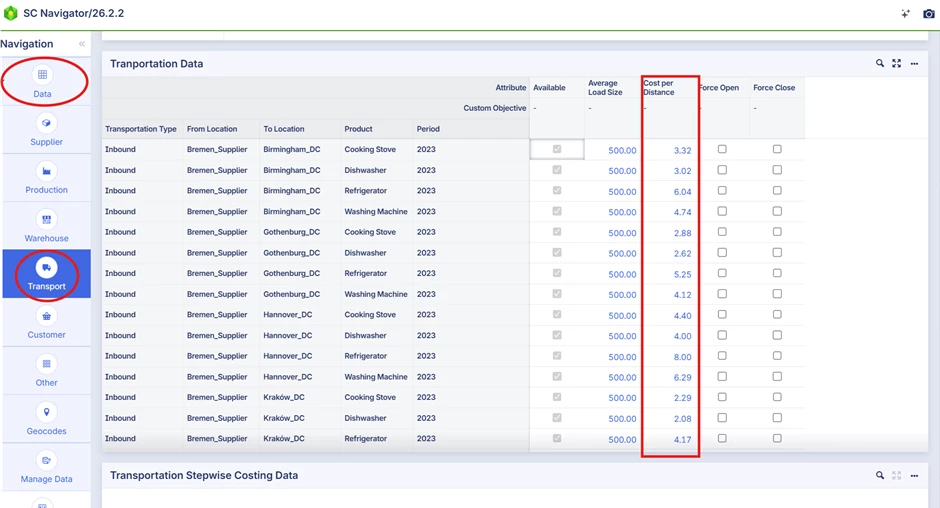
At this point, your model is ready to use these benchmark rates in optimization scenarios.
2. Detailed Transport Cost Data
(Lane-specific cost estimation on request)
If you require more refined transport cost data — for example:
-
Mode-specific pricing
-
Region-specific differentiation
-
Product-dependent rates
-
More accurate budgeting
— you can request Detailed Transport Cost Data directly from within SC Navigator.
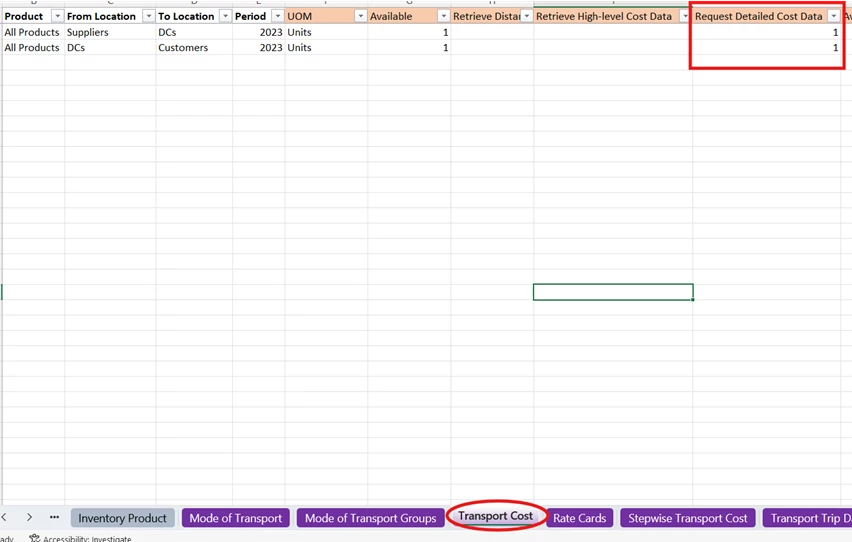
Step 1: Indicate the Lanes
In the Transport Cost sheet of your template:
-
Enter 1 in the column “Request Detailed Cost Data” for the relevant routes.
Step 2: Upload the Template
Once uploaded:
-
Ensure there are no data validation errors.
-
Ensure all required locations are geocoded.
When these conditions are met, a “Retrieve Transport Cost” button appears in the status bar.
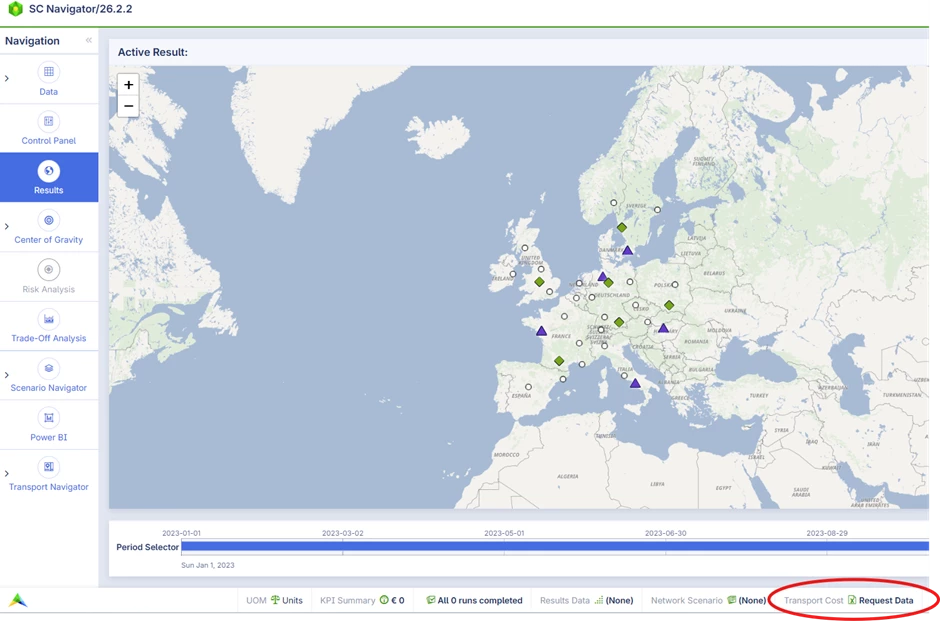
Note: If geocodes are missing, the button will only appear after geocoding is completed.
Step 3: Download the Request File
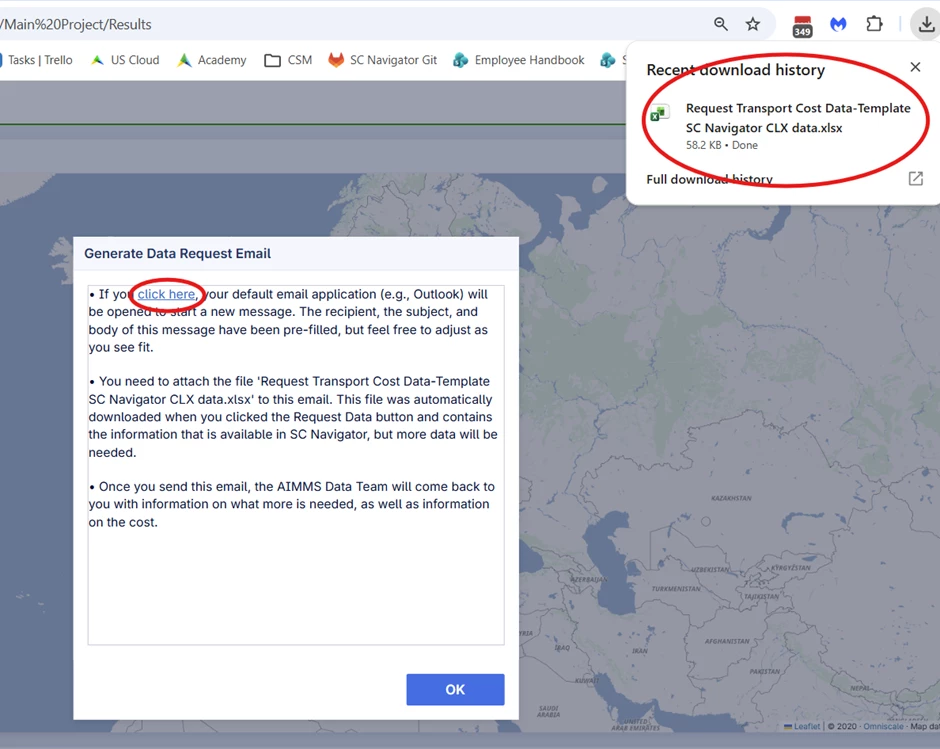
Clicking “Retrieve Transport Cost”:
-
Automatically generates and downloads an Excel file.
-
This file contains the details of all lanes for which detailed costs are requested.
A dialog window will open to guide you through the next steps.
Step 4: Send the Request
In the dialog:
-
Click “click here”.
-
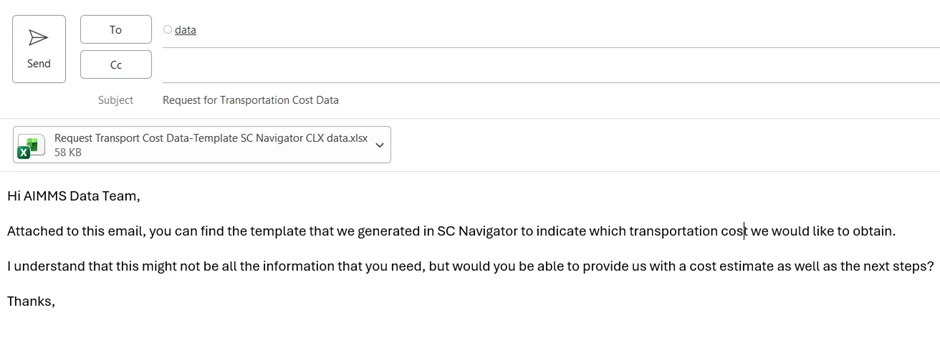
Your default email client opens with a pre-filled draft.
-
Attach the downloaded Excel file.
-
Customize the message if needed.
-
Send the email.
What Happens Next?
After sending the email:
-
The AIMMS Data Team reviews the request.
-
You will receive a response outlining:
-
Next steps
-
Any additional information required
-
Associated pricing for the requested detailed transport cost data
-
Once received, the detailed cost data can be incorporated back into your model.
Choosing the Right Option
| Scenario | Recommended Option |
|---|---|
| Early feasibility study | High-Level Cost Data |
| Scenario benchmarking | High-Level Cost Data |
| Budget accuracy required | Detailed Cost Data |
| Strategic decision support | Detailed Cost Data |
The Transport Cost Data retrieval feature allows you to:
-
Avoid delays caused by missing cost data
-
Quickly generate benchmark estimates
-
Upgrade to detailed, lane-specific cost data when needed
-
Maintain flexibility between exploratory and advanced modeling
By selecting the appropriate option for your project phase, you can balance speed, cost accuracy, and modeling precision.