
Question

How to Access Unique Process ID for Each AIMMS App Run

  • December 22, 2025
  • 3 replies
  • 33 views

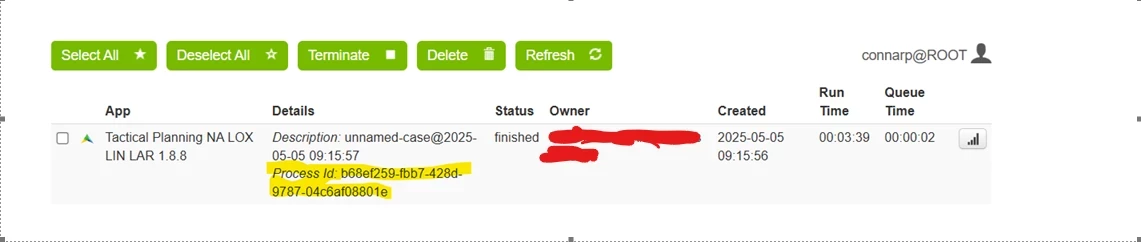
Each time a user runs an AIMMS app, a unique process ID is generated. I need to include this ID when exporting a data file containing multiple parameters, so that users can link each exported file to its corresponding run.

Could you advise on how to programmatically access this ID within AIMMS? Additionally, is it possible to test this functionality in our local development environment, or is it only supported when connected to the AIMMS PRO environment?

There is a similar topic: Reading the Jobs screen data from the PRO server into an AIMMS project. | AIMMS Community  However, I don’t quite understand how it works, as my goal is to retrieve the unique ID for each run, not just a list of jobs. If a user runs the app several times in quick succession, how can we differentiate these runs?

Thanks for the help.
3 replies

Chris Kuip
AIMMSian
Forum|alt.badge.img+7
  • AIMMSian
  • December 24, 2025

Hello,

I am assuming you want to know the id of the solver session from within a data session.

You are probably looking for pro::session::ManagedSessions. 
The elements of that set are the id's of solver sessions (jobs) submitted.


Does this help?

With kind regards,

Chris.


  • Author
  • Explorer
  • December 26, 2025

Thank you for your suggestion! I understand that pro::session::ManagedSessions lists all solver jobs managed by the current data session, which is helpful for tracking multiple runs.

However, my main goal is to get the unique ID of the current run on the server side so I can include it in exported files. From what I see, pro::session::CurrentSession seems to return that. Would you recommend using CurrentSession for this purpose, or is there a better approach?


Chris Kuip
AIMMSian
Forum|alt.badge.img+7
  • AIMMSian
  • December 26, 2025

Hello,

Correct, pro::session::CurrentSession, is the last started session.


With kind regards,


Chris


Didn't find what you were looking for? Try searching on our documentation pages:

AIMMS Developer & PRO | AIMMS How-To | AIMMS SC Navigator

