Discussion ongoing

Create bookmarks using keywords

Related products:AIMMS Language
  • March 16, 2022
  • 5 replies
  • 44 views

Diego Perez-Urruti
AIMMS Partner
Forum|alt.badge.img+4

Would be great to have a way to create bookmarks using keywords. E.g. Writing something like !@TODO to automatically create them under the TODO bookmark section, but I guess we right now we have to right-click and create them each manually?

5 replies

luispinto
AIMMSian
Forum|alt.badge.img+6
  • Customer Success Manager
  • March 30, 2022

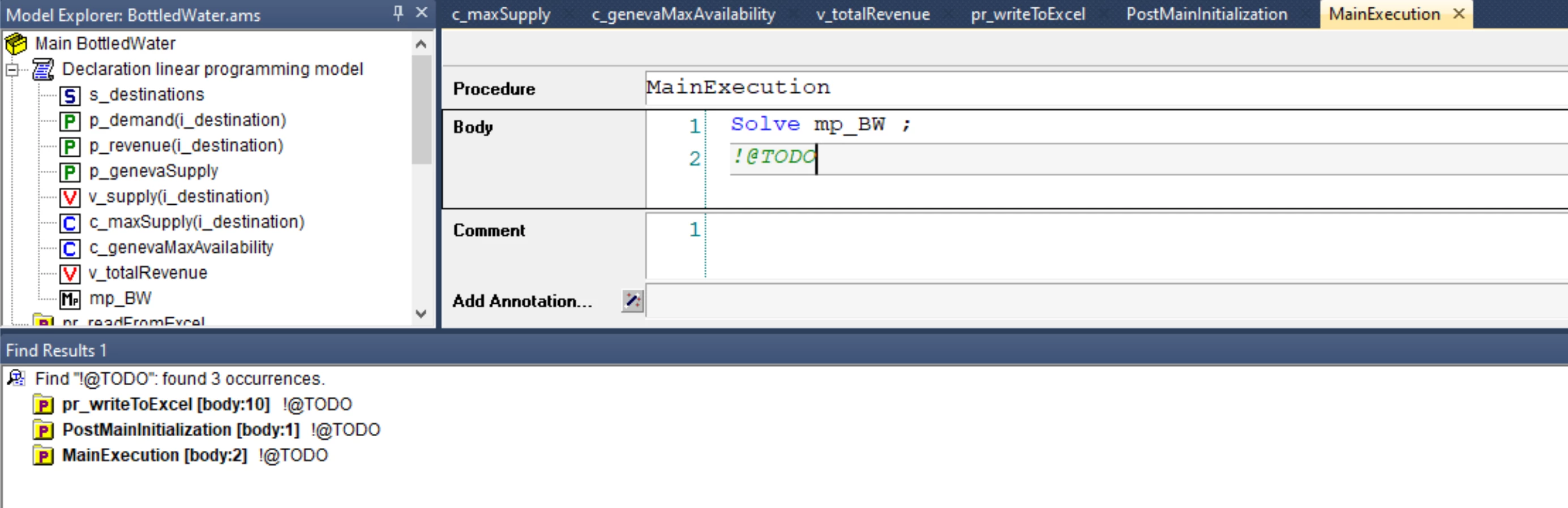
Not sure if it helps, but there is a find all feature that could help you search for your comment/string bookmarks. Use CTRL + SHIFT + F


Finding all occurrences of !@TODO


gabiservidone
Administrator
Forum|alt.badge.img+6

Hey @Diego Perez-Urruti, Luis’ idea helped? 


We are curious! :)


Diego Perez-Urruti
AIMMS Partner
Forum|alt.badge.img+4

Hi Gabi! Thanks for the follow-up!

I’m aware of the CTRL + SHIFT + F functionality. My proposal was more focused on automatically generating bookmarks by using keywords like @TODO without having to right-click and manually create each bookmark.

This is specially useful when you are doing a model clean-up and there are lots of places where you want to create placeholders and check-points.


Jess Es
Forum|alt.badge.img+6
  • Grand Master
  • September 22, 2023

Hi Diego, I’m statusing this as “discussion ongoing.” It’s possible for the next generation of the IDE in the next few years, but not something we can manage for the immediate future.


Jess Es
Forum|alt.badge.img+6
  • Grand Master
  • September 22, 2023
NewDiscussion ongoing

Didn't find what you were looking for? Try searching on our documentation pages:

AIMMS Developer & PRO | AIMMS How-To | AIMMS SC Navigator